
.webp)








.jpeg)


Evidence Management Best Practices for Law Enforcement
Learn how centralized, secure evidence management helps law enforcement maintain the chain of custody, speed investigations, and improve case outcomes.

Law enforcement agencies are managing more digital evidence than ever before, but the challenge isn’t just volume. Fragmentation across systems makes it difficult to access, share, and verify information quickly.
When critical data is stored across disconnected local drives, physical media, and manual sign-out processes, it slows investigations and can complicate chain-of-custody documentation. These gaps create additional work for local law enforcement officers already operating under time and staffing constraints.
This article outlines practical digital evidence management best practices, focusing on how standardized protocols and centralized systems improve transparency and case readiness across public safety agencies. It also highlights how connected tools, including license plate reader cameras (LPR cameras), Vehicle Fingerprint™ data, and Flock DFR, can help agencies identify leads, review relevant context, and build more complete investigative records in FlockOS.
Key Takeaways
- Modern evidence management requires a centralized, secure, and searchable digital system that supports strong chain-of-custody practices, efficient retrieval, and permission-based access for authorized personnel.
- Fragmented evidence sources can slow investigations. Integrating license plate reader cameras, fixed video, Flock DFR, and supported audio and CAD workflows helps agencies move from disconnected workflows to more coordinated operations.
- Standardized processes and automated uploads limit manual handling, strengthen transparency, and support consistent documentation. This creates a more reliable foundation for coordination with prosecutors and partner agencies, and clearer accountability to community stakeholders.
What Are Common Evidence Management Challenges Facing Agencies Today?
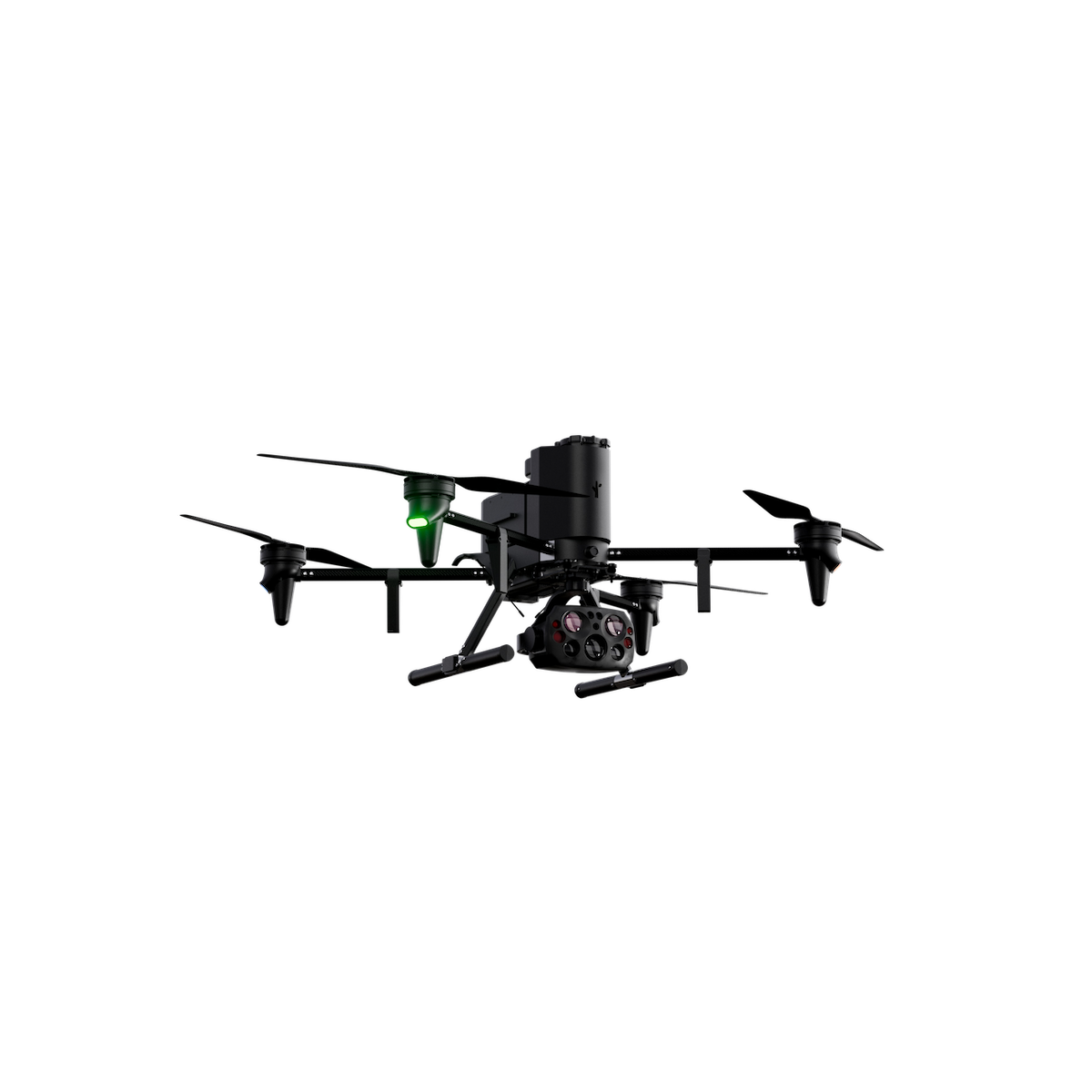
Law enforcement agencies now rely on digital evidence across nearly every stage of an investigation. Departments manage continuous flows of LPR camera data, Vehicle Fingerprint insights, hours of body-worn camera (BWC) and dashcam footage, drone imagery, and digital case documentation.
These realities create practical challenges for agencies trying to manage evidence efficiently. Common issues include:
- Incomplete audit trails: When evidence moves between systems, maintaining a single, consistent audit trail becomes difficult, creating risk during discovery.
- Administrative bottlenecks: Manual retrieval and sharing processes, such as burning disks or using physical drives, slow investigations and take time away from investigative work.
- Security and access risks: Disjointed systems often have inconsistent permissions, increasing the risk of unauthorized access or questions about evidence integrity.
- Prosecutorial delays: Without centralized access, prosecutors may not receive evidence in time to support ongoing charging decisions, contributing to case delays.
- Operational gaps: When staff are stretched thin, manual processes increase the likelihood of errors and missed connections between pieces of evidence.
An Important Note on Why Fragmentation Creates Risk
Fragmented evidence systems can introduce avoidable risk by weakening chain-of-custody documentation and creating more room for data corruption, loss, or claims of tampering. Fragmentation also slows casework, as teams must search across multiple systems to gather key information.
Some storage methods are especially vulnerable when physical evidence and digital records are managed separately. Physical media such as DVDs or thumb drives can be damaged, lost, or fail over time, while disconnected systems require teams to manually reconcile timestamps or locations across sources like video platforms and LPR cameras. This increases the chance of human error and makes it more difficult to maintain a consistent record.
When key evidence is stored separately, such as drone footage, video, or mobile uploads from field systems, important connections may be overlooked, making it harder to establish clear timelines or identify relevant leads.
Core Best Practices for Secure, Efficient Evidence Management
Modern evidence management practices help agencies move away from reactive workflows toward a more structured approach where evidence is consistently accessible and ready for use. This reduces administrative work and supports more reliable case preparation.
The following best practices outline how agencies can strengthen evidence handling, improve transparency, and maintain clear documentation across systems.
Standardized Collection Protocols
Standardization starts before any evidence is gathered, with defined conventions for how materials are collected and named. Even something as minor as an incorrect file name can create issues later if a record cannot be located when needed.
To maintain a searchable index that remains reliable over time, agencies should implement structured procedures for intake. These should set packaging and labeling requirements, outline digital upload steps, and reinforce naming conventions. Staff should tag each piece with metadata, including case number, officer ID, and evidence type, before it’s archived.
Automatic Evidence Ingestion
Relying on manual uploads creates opportunities for data loss or mishandling and can delay when evidence becomes available for review. Automated ingestion reduces these gaps, making evidence accessible sooner and improving auditability.
Cloud-connected systems can send data from supported sources, including LPR cameras, fixed video, and Drone-as-First-Responder (DFR) imagery, into a secure cloud environment while reducing reliance on manual transfers and locally managed storage.
Permission-based Access and Audit Trails
Any lapse in the evidence collection process can raise questions about admissibility. Each interaction with a piece of evidence should be securely logged to maintain a clear, defensible record.
Access should follow the principle of “least privilege,” where each team member can view only the information required for a specific case. Strong access controls can help limit the risk of unauthorized use while maintaining the integrity of the evidence.
Digital audit trails should record activity, including who accessed which files, when, what actions were taken, and the documented reason or case number where required. This creates a transparent record that supports accountability and helps agencies respond to questions about how evidence was handled.
Secure Cloud Storage
Secure cloud storage allows agencies to apply consistent rules to how evidence is stored and managed, with built-in security features that improve compliance and reduce manual oversight. Cloud environments can enable version control and write-once-read-many (WORM) storage, ensuring original files cannot be overwritten while still allowing additional information to be appended.
Cloud storage can also support retention periods by automating how data is reviewed, archived, or removed over time. For Flock LPR data specifically, data is automatically deleted after 7 days by default unless a different retention period is required by the customer. This minimizes the need for manual intervention and helps maintain uniformity across the evidence lifecycle.
Additional safeguards, such as encryption and storage redundancy, protect against data loss. If one data center becomes unavailable, the system can still retrieve and preserve evidence.
Centralized Case File Management
Managing case files becomes more complex when information is distributed across multiple systems. Teams often have to switch between applications and tabs, making it harder to identify connections and increasing time spent on manual tasks.
Best practice for evidence management is to use an integrated, centralized platform that brings data together across different file formats, improving visibility and streamlining case preparation.
For example, LPR camera data and Vehicle Fingerprint insights can connect automatically to relevant BWC footage based on incident time and location. A case timeline can show vehicle activity tied to relevant times and locations, capture activity on fixed video, and include aerial context from drone footage, all within a single view.
Consistent Evidence Pipeline
Agencies operate more efficiently when their digital evidence follows a consistent process, where each system functions as part of a connected workflow:
- Detect: For example, an LPR camera generates an alert for a vehicle associated with defined criteria.
- Verify: The real-time crime center (RTCC) uses fixed video to confirm the vehicle’s location.
- Respond: Authorized personnel deploy a drone under agency policy and applicable FAA requirements to gather additional context.
- Share: The agency compiles and shares a complete case file with the District Attorney. Following this end-to-end workflow helps ensure that progress in one stage carries through to the next, without delays or missed handoffs.
Documentation and Chain of Custody
Manual steps in the chain of custody place additional burden on personnel and introduce points where documentation can be questioned, which may affect admissibility.
Automating chain-of-custody reporting helps maintain a clear and consistent record of how evidence is handled. Digital evidence systems can automatically timestamp actions, log who accessed each file, and generate exportable audit logs for prosecutors.
When evidence is sent to a forensic lab or shared with prosecutors, a digital evidence system should provide exportable records that help recipients understand what was shared, when it was accessed, and how it was handled. This strengthens transparency and supports a more reliable evidence management process.
Permission-controlled Sharing With Prosecutors and Partners
Traditional methods of sharing evidence, such as paper files or physical media, create security gaps and administrative overhead. Modern evidence management systems use secure, time-limited links to provide controlled access. For example, an agency can use permission-based sharing to limit access to specific LPR camera images or DFR clips and maintain a clearer record of how evidence was shared.
This approach allows agencies to track when files are viewed and maintain control over the original evidence, while ensuring authorized users have access for the duration required.
How Unified Systems Strengthen Investigations and Case Preparation
For many agencies, managing evidence still involves searching across different platforms, waiting for video downloads, and manually reconciling timestamp inconsistencies. These steps slow progress and make it harder to build a complete picture of an incident.
Centralized evidence management systems bring these sources together so teams can review information more efficiently, spend less time coordinating manually, and prepare cases with clearer context.
Why Centralized Evidence Improves Investigative Workflows
A single, searchable platform allows teams to cross-reference data points more efficiently across connected systems. When LPR camera images, fixed video, drone imagery from Flock DFR, and supported audio data are available in one place, it becomes easier to connect information across sources.
For example, instead of reviewing a vehicle plate in isolation, investigators can view associated Vehicle Fingerprint insights, such as body type, make, color, and other vehicle characteristics, and compare those details against fixed video or drone footage from the same timeframe.
Centralizing evidence also helps limit the cognitive load and time spent switching between tabs, making it easier to confirm timelines and review case details efficiently.
Real-time Workflows That Connect LPR Camera, DFR, Video, and Audio
Integration supports real-time workflows during active incidents by allowing information to move quickly between systems while case development continues. For example, an agency may receive a notification from an LPR camera for a vehicle associated with an alert. In a unified workflow, that signal can auto-prep a Flock DFR mission for a drone pilot to review and launch under agency policy and applicable FAA requirements. As the drone arrives, the live feed can stream to responding units and the RTCC. Collected media and related alert context can then be reviewed together to support a more complete investigative record.
These workflows rely on automation to move information efficiently, while trained personnel supervise each step. Drone pilots review live feeds and ensure FAA compliance, and teams verify LPR alerts before taking action. This balance helps limit gaps in information and supports a more complete, consistent evidence record as events unfold.
How FlockOS Acts as the Evidence Hub
FlockOS brings LPR camera images, Vehicle Fingerprint data, fixed video, Flock DFR mission media, and related investigative context into a connected workspace, giving teams a clearer view of how events unfold. Within this unified system, users can search, filter, and review related information in one place, reducing the need for manual file transfers or external storage. This streamlined approach also makes it easier to compile and share a complete record of an incident with prosecutors when needed.
By maintaining a consistent interface across the department, FlockOS helps support more uniform workflows, improving efficiency and reinforcing confidence in how evidence is collected and managed
Build a Clearer Evidence Workflow With Connected Public Safety Technology
As evidence volume continues to grow, effective evidence management depends on structured processes, accessibility, and clear documentation. Standardized workflows and centralized systems help agencies manage digital evidence more reliably, support chain-of-custody requirements, and improve coordination across teams and partners.
FlockOS supports these workflows by organizing investigative information in a unified platform where teams can review, connect, and share relevant context with authorized users according to agency permissions. Built-in tools for linking case data, tracking access through audit logs, and managing permission-based sharing help maintain consistent processes while limiting manual handling across the evidence lifecycle.
Learn more about how a unified evidence hub can support your agency’s workflow: Book a demo with Flock today.
FAQs
What Is Digital Evidence Management for Law Enforcement?
Digital evidence management for law enforcement is the process of collecting, storing, organizing, securing, and sharing digital case materials in a way that supports retrieval, auditability, and chain-of-custody documentation. A centralized system helps agencies manage evidence across devices, teams, and partners without relying on scattered storage locations. s
What Types Of Evidence Should Be Included in a Digital Evidence Management System?
A modern digital evidence system should support core investigative materials in one place. For agencies using Flock, this can include license plate reader camera images, Vehicle Fingerprint data, fixed video, drone imagery from Flock DFR, supported audio data, officer documentation, and other case-related files. Centralizing these sources helps investigators connect details faster and avoid gaps caused by scattered storage locations.
How Does Centralization Improve Chain of Custody?
Centralization strengthens the chain of custody by reducing manual handoffs and ensuring each piece of evidence is automatically logged, timestamped, and stored in a secure environment. Automated uploads limit opportunities for file duplication or version confusion, while audit logs track every access, share, or export. Together, these controls help maintain clear, consistent records for case preparation.
What Role Does Integration Play in More Efficient Case Preparation?
Integrated systems allow teams to review vehicle data, video, audio, alerts, and documentation together, minimizing delays caused by switching between platforms or searching across storage locations. This unified view supports real-time workflows, such as LPR alerts helping auto-prep Flock DFR missions for pilot review and launch, and makes it easier to confirm timelines, identify relevant evidence, and build complete, defensible case files.


Protect What Matters Most.
Discover how communities across the country are using Flock to reduce crime and build safer neighborhoods.